Writing Sites Meta

Important Things You Need to Know About Background Images on Niume

Wednesday, January 16, 2019
Also known as, "What Is the Size of the Background Image on Niume Posts?" and "What You Need to Know About the Background Image on Niume Posts?"
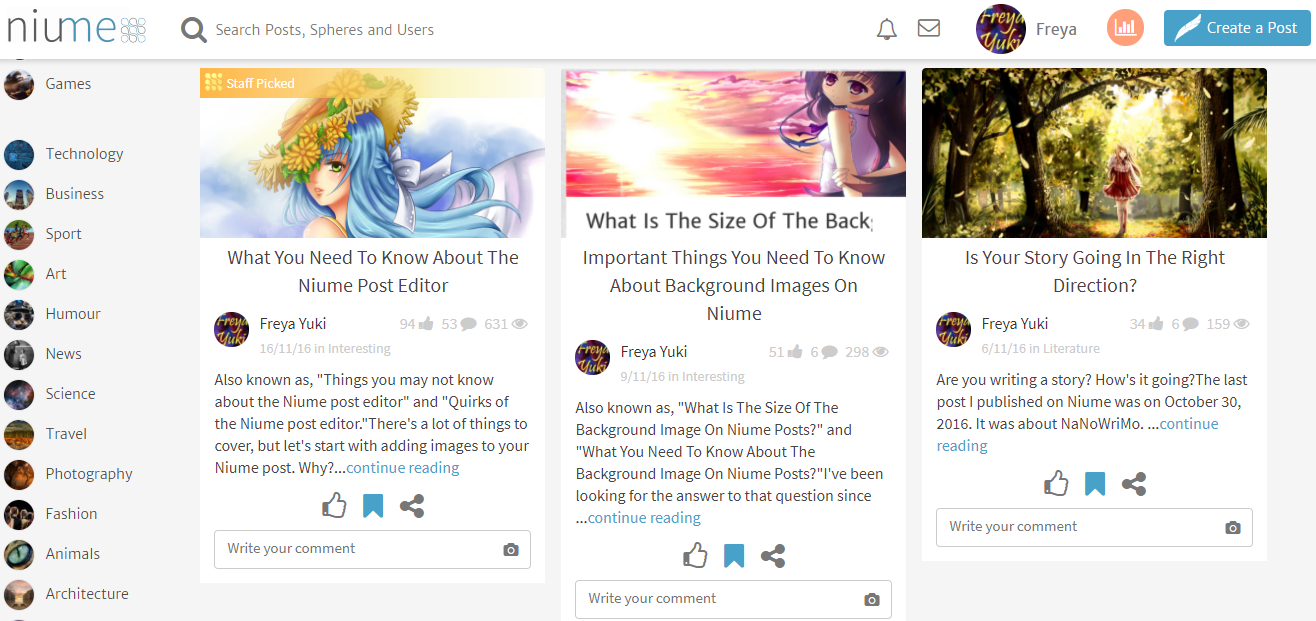
Informational Articles, Niume, Tutorials, Writing Sites

I've been looking for the answer to that question since I joined Niume and began writing my first post. Now, I've finally found the answer, but it doesn't seem to make much of a difference.

Why not? What does that mean? Okay, let's start at the beginning.

Edited to add: Niume is a writing site where you can earn a bit of passive income by publishing articles. Unfortunately, not only has the site stopped paying, it has also shut down without warning.

Searching for Information About Niume

Since I was new to Niume, I've been looking for more information about the site to learn more about how it works. Unfortunately, it's not that easy looking for posts about Niume.

The site does have a FAQ page, but it doesn't contain a comprehensive list of everything you need to know about Niume.

For example, the Post Creation part of the Niume FAQ page talks about the background pic:

"How can I insert a background picture on my post?

On the “Create a post” page you will see that when writing a Title for you post, a little Background Icon on your right will appear. By clicking on it, you will be able to add a background picture to your post."

But it doesn't say anything about the ideal or recommended size for these pics. IMHO, the size is what we really need to know.

I mean, if you go to the "Create a post" page, you can see the picture icon right away without even needing to scroll down.

If you hover your mouse on this icon, a tooltip will show up with the words, "Choose a background image for your post."

If you click the icon, you'll be prompted to upload a photo. So, it's not that hard to figure out what to do, right?

Wouldn't it have been so much better if the tooltip itself included the recommended image size?

Recommended Size for Niume Post Background Pics

So, how did I find the answer to the post title question? It was in one of the posts by Niume Blog & Support (be sure to follow them to learn more about the site).

It's located near the end of the post:

"We recommend larger images for this, 1200x650 or above."
- Niume

I was really glad when I found this because I thought I no longer had to do trial-and-error just to add a background pic to my posts.

Yep, trial-and-error. That's what I've been doing since I didn't know the proper size for the cover pics. I've had to cut, resize and/or crop the photos over and over again and then upload them to Niume again and again until I'd finally get the proper placement of the pic.

Why? Because, more often than not, when I first upload the cover pic, the image will look cut off at an awkward place, like the heads of people not being seen, etc.

Look at the cover pic for this post. I resized it to exactly 1200x650 before uploading it to the site, and yet, it still looks like this:

Informational Articles, Niume, Tutorials, Writing Sites, background image, cover image

If you're okay with how your pic looks, then you can just leave it as-is, but if you want to adjust the height and width again, then you'll have to resize the image then re-upload it back to the site.

My second try looked like this:

Informational Articles, Niume, Tutorials, Writing Sites, background image, cover image

Maybe third time's the charm? Eh, not exactly, but I suppose it's good enough. What do you think?

Informational Articles, Niume, Tutorials, Writing Sites, background image, cover image

For reference, the entire pic actually looks like this:

Informational Articles, Niume, Tutorials, Writing Sites, background image, cover image

Original size of this pic: 800x582.

Size of the Niume cover pic: the 3rd one I uploaded was resized to 800x302, but Niume resized it to 775x293, which is something to keep in mind when uploading cover pics for your posts.

Hope this helped. If you have any questions, feel free to ask.

P.S. I put this on the Interesting sphere, since I still can't find a sphere, much less tags, that's specifically for posts about Niume. I guess this is the closest sphere?

Here are some of the comments from this article, back when it used to be posted elsewhere:

Kitty Lee said on 10/11/16
Helpful. I'm greatly enjoying the site so far, but our lovely admins should really add restructuring the Help area to include more info in one central location to their to-do list. But of course, we're still quite new, so there are going to be bumps in the road along the way.

Freya Yuki replied to Kitty Lee on 11/11/16
Thanks. Yeah, am also enjoying it here, so far, but the help section is really quite lacking. I'm still trying to learn as much as I can about the site.

Reuven Brody said on 10/11/16
This is a very helpful post. I, too, couldn't find anything official on Niume image sizes. When I created my profile's background photo, I used 1275X425 pixels as it seems Niume uses a 3 to 1 image ratio. I'm definitely going to try your sizing suggestion for my post images from now on. Really appreciate the tips. Thank you.

Freya Yuki replied to Reuven Brody on 11/11/16
You're welcome. Thanks. It would be great if Niume could add more info to their FAQ page particularly with regards to ideal and recommended image sizes.

*Notes:
- This was previously published on Niume on 29 Oct 2016 in Interesting
- Screenshots are from my Niume account
- Image is by KahoOkashii (CC:BY-SA) from deviantArt

How to Add Links to Niume Posts?

Sunday, January 13, 2019
The quick, easy, and fast tutorial version of how to add links to Niume posts for those who just want the answer:

Edited to add: Niume is a writing site where you can earn a bit of passive income by publishing articles. Unfortunately, not only has the site stopped paying, it has also shut down without warning.

1. On the Niume post editor, highlight the text that you want to add a link to.

2. A black-colored tooltip will show up. Click on the chain icon.

3. Another tooltip will show up. Paste your link on this tooltip.

Informational Articles, Niume, Tutorials, Writing Sites, site shut down, passive income, make money online, how to add links to posts
It can be kind of hard to figure out how to add links to your Niume posts, but, once you know how it's done, it's really easy

4. This is the part that can be confusing. I got lost here too. What you should do after pasting your link is to press the enter key on your keyboard.

5. You'll know it worked if you see that the text you highlighted is now underlined.

6. To see an example, check the pic sources at the end of this post.

The Story of How I Figured out How to Add Links to Niume Posts

The Niume rich text post editor is actually fairly easy to understand, so even though I'm pretty new here (having just recently joined), I didn't really have much of a hard time writing and publishing my very first post.

Except when it came to links.

Since I used images on my post, I wanted to link to the sources of these pics.

So, at the end of the article, after including the necessary info like the artist and the site where I got the pics from, I tried to add the website link.

Informational Articles, Niume, Tutorials, Writing Sites, site shut down, passive income, make money online, how to add links to posts

Technically, this should have been really easy. Why? Because when you highlight the text in your post, a tooltip shows up above the highlighted text.

There are a few icons in this tooltip including the chain icon, which is supposed to be for adding hyperlinks to your text.

When I click the chain icon, a new tooltip shows up with the words, "Paste or type a link." There's a small x icon on the right side of the tooltip. You can then paste a link on said tooltip.

That's the part where I got lost. I could paste a link easily enough, but, after that, for some reason, it just wasn't working. I tried pasting the link and then clicking the x icon, but that didn't really do anything.

Do You Need to Publish Your Post First Before You See the Links?

After trying a few times, I came to the conclusion that I just wasn't seeing the links since I hadn't published the post yet. However, even after publishing my post, the links still wouldn't show up.

Editing the published post to try adding the link again still didn't work. In the end, I just pasted the link as-is without trying to use the link icon.

How and Where to Find Information About Adding Links to Niume Posts?

I tried to look for information about this, but I couldn't find anything, so I decided to write this post.

I was going to ask if anyone knew where I could find info on how to add links to Niume posts, but- well, let's just say I had a sudden epiphany while I was trying to add links to this post.

Informational Articles, Niume, Tutorials, Writing Sites, site shut down, passive income, make money online, how to add links to posts
While I did find a few posts about Niume, I wasn't able to find anything about how to add links to your posts here

I was testing the link tooltip yet again when I thought to press the enter key on my keyboard. Guess what? Yup, it actually worked.

So, that's how you add links to your Niume posts. Be sure to press the enter key after pasting your link on the tooltip. You'll know it worked when you see the text that you highlighted is now underlined.

P.S. I put this post in the Interesting sphere since I didn't know where else to put it. If there's a more relevant category or sphere for this, just tell me so I can edit the post and put it there instead.

Here are some of the comments from this article, back when it used to be posted elsewhere:

Maribelle said on 31/1/17
Thanks. I got it after 5 tries.

Freya Yuki replied to Maribelle on 31/1/17
You're welcome. If you have any questions, feel free to ask :-).

Mari Christine Glan said on 10/12/16
Thank you Freya

Freya Yuki replied to Mari Christine Glan on 10/12/16
You're welcome, Mari. If you have any more questions, feel free to ask :-).

Uwe Lang said on 21/11/16
Great advise, how old is this platform and how long are you a user?

Freya Yuki replied to Uwe Lang on 21/11/16
Niume was first launched in July 2014. I can't quite recall the exact date when I joined, but it was in 2016.

Brian Leverton said on 18/11/16
Good post with great information I am going to come back many times to look because I am lost now for certain.

Freya Yuki replied to Brian Leverton on 19/11/16
Thanks. If you have any questions, feel free to ask :-).

Ritu Nanda said on 2/11/16
Thank you, that information was really useful.

Freya Yuki replied to Ritu Nanda on 6/11/16
You're welcome. Glad this helped. Also had a bit of a hard time trying to figure it out at first.

Jim Bauer said on 25/10/16
This helped greatly. This was driving me nuts and I can't so far seem to find many tutorials on this site. Now if I can just figure out how to embed a YouTube video we're onto something. Thanks.

Freya Yuki replied to Jim Bauer on 25/10/16
You're welcome. Yeah, I'm finding it kind of hard to search through the site. It would be great if there was a Niume sphere or even a tag or something. There's a FAQ section, but, unfortunately, it doesn't include all the relevant info about the site and how it works.

Freya Yuki replied to Jim Bauer on 25/10/16
About adding YouTube vids, here's how: when you're on the Niume post editor, press the enter key on your keyboard and you'll see a plus sign on the editor. Click the plus sign and a few options will show up.

Click the 3rd circle, the one that looks like the play sign. If you hover your mouse on it, you'll see text that says "Add a YouTube or Vimeo link". Once you click that icon, you'll be able to paste a video link on the line provided. Hope this helped.

Jim Bauer replied to Freya Yuki on 30/10/16
I still can't get it to work. The video shows up while in edit, but as soon as click UPDATE it's gone. Ugh. I'll keep on trying.

Freya Yuki replied to Jim Bauer on 1/11/16
Are you using the YouTube video link itself or the embed link? Using the YouTube link, I've managed to add a vid to one of my posts: https://niume.com/pages/post/?postID=143499

*Notes:
- This was previously published on Niume on 19 Oct 2016 in Interesting
- First pic is by AlexLasek (CC:BY) from deviantArt
- Second pic is a screenshot from my Niume account
- Third pic is by GraphBerry (CC:BY-SA) from deviantArt

Similarities Between Bubblews Members and Sirius Black (Harry Potter Series)

Thursday, January 10, 2019
The latest news and update from Bubblews was that, unfortunately, those who redeemed before the 11th of November 2014 will no longer be paid while those who redeemed after the 11th will receive a reduced amount.

Bubblews, Informational Articles, Reviews, Writing Sites, bad news, harry potter, jk rowling, book series, sirius black, prisoner of azkaban

This was posted on the site on the 31st of December 2014. The reason given was that, apparently, there was way too much "manipulation and fraudulent activity".

Justice, Fairness

Is that right? Is that fair? Sure, there are cheaters, spammers, plagiarists, manipulators, etc on Bubblews, but, at the same time, there are also honest and good people there who did nothing wrong and who followed all the rules and terms to the best of their abilities.


Why should they be punished for something they didn’t do? Why should they be lumped or included amongst all the bad guys?

Sirius Black

Sirius Black is a character from the Harry Potter series of books by J.K. Rowling. He was first introduced in Harry Potter and the Prisoner of Azkaban, book 3. He lived a very sad and tragic life.

He was accused of betraying his best friend (James Potter), killing a bunch of people (including Peter Pettigrew, another friend), and being the right-hand man of Dark Lord Voldemort (the main villain of the series).

Bubblews, Informational Articles, Reviews, Writing Sites, bad news, harry potter, prisoner of azkaban, book 3, jk rowling, sirius black, hp series, voldemort, peter pettigrew, james potter

He was then sent to Azkaban prison without a trial because everyone believed he was guilty. They didn’t listen to his side of the story. They just threw him into prison, but the truth was that Sirius Black was actually innocent.

Bubblews Members and Sirius Black – Similarities

Just like what happened to Sirius Black, members of the Bubblews site are being accused of manipulating the system and engaging in fraudulent activity.

They are being punished by not getting paid and/or getting a reduced payment without being given the chance to defend themselves and show that they are not one of the spammers and scammers and plagiarists.

Whatever happened to innocent until proven guilty? Is it right to generalize and stereotype people like that? Why is everyone considered bad and evil when there are actually people who are good and who did nothing wrong?

Bubblews, Informational Articles, Reviews, Writing Sites, bad news, harry potter, prisoner of azkaban, book 3, jk rowling, sirius black, hp series, voldemort, peter pettigrew, james potter

Sirius Black may be a fictional character, but what happened to him can happen in real life. It’s happening now, isn’t it? You see entire groups of people or even entire countries being blamed for so many things even if a lot of them are actually innocent.

But these people are silenced and oppressed, and they aren’t allowed to speak freely and voice their opinions and defend themselves (this may or may not be referring to more than just the site-that-shall-not-be-named a.k.a Bubblews).

Your Thoughts and Opinions

What do you think about this? Feel free and welcome to share your thoughts and opinions by leaving a comment below.

*Notes:
- First image is by FirmBee (Public Domain) from Pixabay
- The rest of the images are from Amazon.com; links shown above via the Amazon Native Shopping Ads widget
- This was previously published elsewhere

Planning to Start a Blog on Wix? Don't. Here's Why

Monday, January 7, 2019
Or, to be more precise, here's one reason why you should think twice before you consider starting a blog on Wix.

Informational Articles, Reviews, Wix, Website Builder, Site Builder, disqus comments system, comments feature, facebook comments plugin, comments app, tumblr, social networking site, microblogging platform

What Is Wix?

Wix is a website builder that's touted as very easy to use, which is kind of true. Okay, that's a long topic in and of itself, so I'll just say that it is pretty easy to use.

You just drag and drop website elements, and you basically get the chance to build your site the way you want without needing to know HTML or CSS. But it's not without its limitations and imperfections.

Blogging on Wix

For now, I want to focus on the blog part of Wix. Honestly, you can really make the blog part of Wix look awesome.

But it's missing one very important thing, one that all blogs should/need/ought to have. What's that? The comments system.

Built-in Comments Feature

That's right. Wix doesn't have a built-in comments feature. Don't ask me why not. I don't know either, but I've seen many questions about it on the Wix site, with Wix members requesting the feature. And that's understandable. Don't you want comments on your blog posts?

Since Wix doesn't have a comments feature, its default comments system is the Facebook plugin, which means that people need to be signed on to their Facebook account if they want to comment on your posts.

Maybe some don't mind this, but others do. Not everyone wants to go through the trouble of logging in or signing up or creating an account on some site or other just to leave a comment on a single article. If people have to go through so many hoops just to comment, who'd bother?

Wix Comment Apps

Wix also has some comment apps, but these have a lot, and I mean a lot, of limitations. One, the free versions of these apps have so many limits that it's pointless to use the free version. But what about the premium and paid versions? Well, I don't know.

Maybe they're better, and, really, they ought to be considering they're not free. But, do you really want to pay for a comments feature when other platforms have this for free? Besides, these apps were made by third-parties and not Wix. You'll have to do a lot of research if you want to make sure these apps are safe and legit.

Also, consider this - even Tumblr (microblogging platform and social networking site) doesn't have a built-in comments system, but the difference with Wix is that Tumblr actually lets you use Disqus, a free commenting system.

Plus, some Tumblr themes already come with the Disqus codes built-in, so all you need to do is add your Disqus shortname, and you should be all set. So, what do you think about all this?

Here are some of the comments from this article, back when it used to be posted elsewhere:

UK_Writer wrote on February 12, 2015, 11:43 AM
Whether they use FB or disqus is irrelevant - people still have to log in to comment. Pain in the butt really.

FreyaYuki replied to UK_Writer on February 12, 2015, 11:52 AM
I thought Disqus was like that at first too, but they actually have the option to allow anonymous comments. You just need to turn this on in the settings of your Disqus account. One confusing thing about Disqus is how this isn't readily noticeable in their comment form so I add instructions on how to comment anonymously using Disqus on my blogs that use this comments system.

UK_Writer replied to FreyaYuki on February 12, 2015, 12:37 PM
I turned off commenting on my blogs when I was inundated by thousands of spammers.

FreyaYuki replied to UK_Writer on February 14, 2015, 11:54 AM
Ah, I see. Some blogging platforms do come with anti-spam plugins like WordPress. And Disqus has anti-spam measures in place too. You can set it so that all the comments will have to be moderated first before they appear live on your blog or site.

LeaPea2417 wrote on February 12, 2015, 1:45 PM
I have not heard of Wix. Thanks for the information. I will think twice before using it.

FreyaYuki replied to LeaPea2417 on February 14, 2015, 11:57 AM
You're welcome 😃. I'm still thinking of using Wix though only the free version and not as a blog (definitely wouldn't want to blog there because of all the issues with the comments, etc), just as a website of sorts.

The free version has lots of limitations though like the huge ads for Wix and having your links nofollow. From what I've been seeing so far, it seems that even the paid version has lots of limitations. There's also the thing with their odd URL link addresses.

nbaquero wrote on February 12, 2015, 5:17 PM
FreyaYuki thanks for the information, I don't use Wix but I have seen ads for their services. I still can't figure out Tumblr.

FreyaYuki replied to nbaquero on February 14, 2015, 12:05 PM
You're welcome 😃. Wix is being advertised as an easy-to-use website builder, which can help you build your very own site without knowing how to code and use HTML and CSS.

But it's not really as easy as it seems and there are a number of limitations like having your links nofollow if you're using the free version, the price of the paid version, the URL links, etc.

What problems are you having with Tumblr? Is it the theme? I find that you get more flexibility with Tumblr because you have access to the template's HTML and CSS codes though the platform also has its limitations.

nbaquero replied to FreyaYuki on February 14, 2015, 12:40 PM
Thanks for your response FreyaYuki
Regarding Tumblr it's not really a problem per se, I have just not really put the time to understand its functionlity and take full advantage of the features they offer. I have only used it previously to share links to old post at Bubblews.

grandma20121 wrote on February 12, 2015, 5:33 PM
i never heard of the WIX site before but it sounds to me like it would not work out very well without an area for people to leave their comments

FreyaYuki replied to grandma20121 on February 14, 2015, 12:10 PM
Yes, that's what I thought too. Comments are essential when it comes to blogging, so it's important to give people the opportunity to leave comments if they want to. I've read of a lot of Wix users that also don't like how Wix doesn't have a built-in comments feature and doesn't even let them use Disqus.

At least Weebly (simialr to Wix) actually has its own built-in comment system and you can even choose to use Disqus (thought I'm also not planning to blog there). So I'm not planning to use Wix as a blog but I think I'll still be trying to build a site there.

bestwriter wrote on February 12, 2015, 7:46 PM
I have yet to go about doing justice to my blog and so going anywhere near Wix is not on my schedule (lol)

FreyaYuki replied to bestwriter on February 14, 2015, 12:12 PM
Ah, I see. Good luck with your blog 😃. What platform are you using?

bestwriter replied to FreyaYuki on February 14, 2015, 7:20 PM
I think it is blogspot. I want to delete my account and start afresh. It is not allowing me to.

FreyaYuki replied to bestwriter on February 18, 2015, 4:19 PM
Do you mean your blogger account or just the blog itself? There should be a delete button there somewhere. And you can also just create a new blog then make that old blog private and invisible to search engines so no one can access it.

bestwriter replied to FreyaYuki on February 18, 2015, 6:24 PM
I want a new account. Is that possible?

FreyaYuki replied to bestwriter on February 19, 2015, 12:51 PM
Yes. You can just create a new Google account if you want. You'll also get a new Gmail with it. From there, you can create new blogs on Blogger.

bestwriter replied to FreyaYuki on February 19, 2015, 6:02 PM
Why is Google so stubborn that we cannot delete a blog and to get a new one we must get a new gmail. Funny!!

FreyaYuki replied to bestwriter on February 20, 2015, 9:39 AM
If it's just a blog that you want to delete and not your whole Blogger account, then you can do that without getting a new Gmail. When you log on to your Google Blogger account, you should see your created blogs listed.

From there, you can find the option to delete or edit your blog. If you prefer, instead of deleting it, you can just change the site address then install a new theme or template then begin adding your content.

allen0187 wrote on February 12, 2015, 8:16 PM
That just sounds so awful. I won't bother leaving a comment if I had to go through all that stuff. Thanks for the heads up about this site.

FreyaYuki replied to allen0187 on February 14, 2015, 12:17 PM
You're welcome 😃. And I agree. I don't like having to go through so many hoops just to comment. That's why I've the comments feature on my own blogs set so that anyone can comment even anonymously or as guests.

BarbRad wrote on February 13, 2015, 3:34 AM
I've never used my Wix site for anything yet. I'm still trying to figure out where I want to take what I started on Weebly.

FreyaYuki replied to BarbRad on February 14, 2015, 12:22 PM
Ah, I see. I'm actually working on both Wix and Weebly while also working on Blogger, WordPress and Tumblr. Good luck with your plans for Weebly. I noticed that it's a bit more restrictive than Wix when it comes to the drag-and-drop features (on Weebly, you can't really drag and drop them anywhere you want).

The themes on Weebly also look pretty similar to each other so there isn't much variety. But at least the free version of Weebly doesn't have such huge glaring ads/attribution links unlike with Wix who actually has 2 - on both the header and footer.

midastouch wrote on February 15, 2015, 1:18 AM
Well it really is a bag of mixes
some persons to not really bother about blog comments particularly the ones that seem to be very discouraging so they prefer to make their blog posts and just move on; for such persons Wix would just be ideal

FreyaYuki replied to midastouch on February 18, 2015, 4:16 PM
Yeah, there are some who prefer to disable the comments on their posts so they wouldn't have a problem with using Wix for that reason.

Still, it would be nice to have control over the comments section of your blog like you can turn it on or off depending on what you want or on a per-article basis.

AliCanary wrote on February 18, 2015, 4:39 PM
I might not mind not being able to leave comments. I don't get a lot of comments on my blogs because I use Google's Blogger platform, and they make you create an account just to leave a comment, which is too much trouble for most people. It might be better not to have a comments feature at all!

FreyaYuki replied to AliCanary on February 19, 2015, 12:56 PM
I'm currently working on a few Google Blogger blogs. As far as I know, you can set your comment form to allow people to comment as guests or anonymous so they don't have to log in or create an account just to comment.

You can also use Disqus on Blogger. They have instructions for this though I haven't gotten 'round to trying it yet since I'm still working on fixing up the blog's layout, etc. But I'm using Disqus on Tumblr, and you can set it to allow people to comment as guests.

I also don't like having to go through so much trouble just to leave a comment, which is why I prefer it when people are given a choice as to how they want to comment - like if they want to comment using their Facebook account, Twitter, anonymously, etc.

AliCanary replied to FreyaYuki on February 19, 2015, 5:37 PM
Oh, I had no idea! I'm kinda new to it. Thanks for the info!

haze wrote on February 22, 2015, 6:58 PM
I didn't realize the Wix didn't have a comment section. You have to have on. Thanks for the information. I will keep looking around at sites.

FreyaYuki replied to haze on February 23, 2015, 10:36 AM
Wix doesn't have a built-in comments feature. They make you use a Facebook plugin instead, which isn't all that good if you have readers who either don't have a Facebook account or don't want to log on to their account just to comment.

Wix also offers some third-party commenting apps, but you have to pay if you want to use the full features of these apps because the free versions are all severely limited, which isn't a plus for Wix at all since there are many other platforms that offer comments feature for free.

You can check out Weebly if you're looking for something similar to Wix. It's a site builder too, and, while it has its limitations and weaknesses, it does have a built-in comments feature. Plus, you can use Disqus (free 3rd party comment system) on Weebly.

BrenndaMarie wrote on February 23, 2015, 3:51 PM
I have never even heard of Wix but thanks to you i would never start a blog there. It sound like to much of a pain for the readers just to comment. Does not sound like it would be worth the time and afford you have to put into a blog

FreyaYuki replied to BrenndaMarie on February 24, 2015, 10:06 AM
Yes, I agree. I'm still working on a Wix site, but am not planning to blog there. It's better to go with blogging platforms like Google Blogger (has a built-in comments system, and you can use Disqus as well) or Tumblr (you can use Disqus, a third-party commenting system that's free and won't force commenters to log in or create accounts just to leave comments on your blog).

GemstonePink wrote on February 25, 2015, 5:45 PM
I have never created a blog, but thanks for the information that will help many here.

FreyaYuki replied to GemstonePink on February 26, 2015, 11:47 AM
You're welcome 😃. There are other platforms aside from Wix for those who want to blog. Other platforms can be easier to use as well, and, for those who don't really want to tinker with their theme's CSS and HTML, they can easily start blogging as soon as they create an account on those sites and set up their blogs.

rana199426 wrote on March 8, 2015, 11:16 AM
I already made one a year ago but I never use it anyway

*Notes:
- This was previously published on Persona Paper on February 12, 2015, 11:09 AM
- Image is by GraphBerry (CC:BY-SA) from deviantArt

Should You Join Netboard.me?

Thursday, January 3, 2019
Also known as, "Concerns about a site similar to Pinterest, but where you can actually earn money."

So, there's this site that is similar to Pinterest, but one of the major differences is that you can actually use ads and affiliate links on this site, so you can earn some money. Have you heard about this site?

Informational Articles, Reviews, Pinterest, Social Media, Netboard.me, social networking site, visual bookmarking site

I just found out about it recently. Like I just said, it looks pretty similar to Pinterest in that you can share articles, pics, etc. It's like having your own personal webpage, and it's all for free.

Info About Site Similar to Pinterest

According to the site, you can create as many boards as you want. There are no limits. Plus, you can even make money by using Chitika ads and Amazon affiliate links on your pages. You can also personalize the look of your boards, making it look like the way you want it to.

Okay, what is this site? It's called Netboard.me.

Is Netboard.me Too Good to Be True?

Sounds pretty cool, right? True. It does sound good. But, could it be that it's too good to be true? What's the catch? Well, I honestly don't know. I've thought about joining or creating an account on Netboard.me, but I haven't done so yet. Why not? Is something wrong with this site?

Where to Find More Info About Netboard.me?

Well, I don't really know. And that's the point. I was trying to find more info about this site, but couldn't really find much of anything. I can see some example public boards, and they all look pretty nice and all that, but *shrug*.

Plus, I have to wonder how much traffic this site is getting because, even if you can monetize the pages that you create on Netboard.me, if you're not going to be getting much traffic anyway, then, well, you're not gonna be earning much, if any, at all.

Netboard.me Terms of Service and Privacy Policy

And I also have to wonder about Netboard.me's Terms of Service and Privacy Policy.

You know what's really funny? I hate terms and policies that are way too long and full of so much legal jargon. It's such a drag to have to read through these things. It's like these sites want to bore you to death or something. LOL 😃.

So, is that the issue with Netboard.me then? Their long and boring TOS? Nope. They actually have a pretty short terms of service and privacy policy page. In fact, it's so short that those two have been combined in a single page. And that's what's funny.

I hate long TOS, but I can't help but feel kind of (okay, maybe more than just kind of 😃) suspicious when I see sites with very short terms and policies. It's because all sites usually have very long legal documents for you to read. Of course, some (very few, really) actually try to make it easier for you to read through this stuff like providing annotations, etc.

I may hate the long TOS and privacy policy pages, but it can be a good indication if a site is legit or not, right? The terms and policies need to mention things like what the site is going to do to your data and info, how they'll make sure that your data will be kept safe and secure, it should also include stuff about disclaimers and liabilities and warranties, it should tell you where your data is being processed, the governing laws and jurisdiction that the site is following, etc, etc.

Well, Netboard.me's TOS page is severely lacking though precisely because it's so short. For instance, where is this site located anyway? If you compare this to the Pinterest TOS, for example, you'll see right away that the Pinterest terms is governed by the laws of California, United States of America (USA).

If you look at other TOS, you'll find information like that too. For example, the Tumblr TOS mentions following the laws of New York, USA. Netboard.me doesn't mention anything though. So, it comes across as really quite suspicious.

Your Thoughts and Opinions

What do you think? Do you know anything about this site? Are you planning to join it? If you're already a part of this site, what can you say about it? How is it working out for you?

Here are some of the comments from this article, back when it used to be posted elsewhere:

Feisty56 wrote on February 27, 2015, 10:13 AM
You're mention here is the first I've heard of this Pinterest-like site. I'll be interested to see what others have to say and whether anyone is already on-board with the site.

FreyaYuki replied to Feisty56 on February 28, 2015, 1:03 PM
I've also only just recently heard about it. It seems to be new and it seems that there are only a few members as well. Am also interested in finding out more info about this site before joining especially considering their incomplete TOS.

LeaPea2417 wrote on February 27, 2015, 11:12 AM
I have not heard of this site before. I may check it out and try to learn more about it.

FreyaYuki replied to LeaPea2417 on February 28, 2015, 1:09 PM
Keep us informed of your findings if you do decide to check it out :-). It seems that this site is pretty new or, at least, it's not getting all that much traffic considering not many know about it.

nbaquero wrote on February 27, 2015, 1:10 PM
FreyaYuki I never heard of this site, but I would not join right away. It seems that is has been around for about a year or so.

FreyaYuki replied to nbaquero on February 28, 2015, 1:11 PM
Yes, I am also reluctant about joining the site considering the points I mentioned above in the post. It would be nice to find out more info about it. Besides, it does kind of sound too good to be true, right? You can make as many boards as you like and you can add ads and affiliate links on those boards and it's all for free so, what's the catch, right?

nbaquero replied to FreyaYuki on February 28, 2015, 7:05 PM
FreyaYuki exactly, what is the catch? Have you seen/read any site reviews?

FreyaYuki replied to nbaquero on March 3, 2015, 10:32 AM
Very few and none of them address or mention the concerns I talked about here. Still looking for more info about this. It looks like not many know about the existence of this site. Have you checked it out yet?

nbaquero replied to FreyaYuki on March 5, 2015, 11:59 AM
FreyaYuki I did look at their site, but wasn't really impressed.

thisnthat wrote on February 27, 2015, 2:59 PM
Interesting idea for a site. I think I'll give it a look. Thanks for mentioning it. If I join, I'll come back and let you know.

FreyaYuki replied to thisnthat on February 28, 2015, 1:12 PM
You're welcome 😃. Keep us informed about what happens if you do decide to join the site and what other info you may find about it.

BrenndaMarie wrote on February 27, 2015, 5:47 PM
Many if you give it sometime you will be able to find more information about it. I have never heard of it before. It sounds like it is a fairly new site.

FreyaYuki replied to BrenndaMarie on February 28, 2015, 1:18 PM
Yeah, it does seem to be new. I've already searched around but couldn't really find much about this site. Am also concerned about their TOS, which appears to be too short and doesn't include all the necessary info and details that legit sites have. Plus, the services being offered by the site seems too good to be true - you can create as many boards as you want and you can add ads and affiliate links to these board and it's all for free.

GemstonePink wrote on February 27, 2015, 7:20 PM
I usually read all the online reviews I can find regarding a site. If I cannot find reviews then I wait until one pops up.

FreyaYuki replied to GemstonePink on February 28, 2015, 1:19 PM
Yes. Same here. I prefer to read reviews and all the other info I can find about a site before deciding to join it.

scheng1 wrote on March 1, 2015, 1:37 AM
I rather not touch any new site until it has been established.

FreyaYuki replied to scheng1 on March 3, 2015, 10:52 AM
Yeah. I prefer to read everything I can about a site before joining - reviews, TOS, FAQ, rules, etc. Everything has to be legit so you won't end up getting ripped off or something.

arthurchappell wrote on March 2, 2015, 12:19 PM
worth monitoring the site for a while to see how it goes and forums fill with either praise or anger to them

FreyaYuki replied to arthurchappell on March 3, 2015, 10:52 AM
Yup. Am also planning to do that. Won't be joining the site yet until there is more info about it.

*Notes:
- This was previously published on Persona Paper on February 27, 2015, 9:34 AM
- Pinterest pic is by vastateparksstaff (CC:BY) from flickr